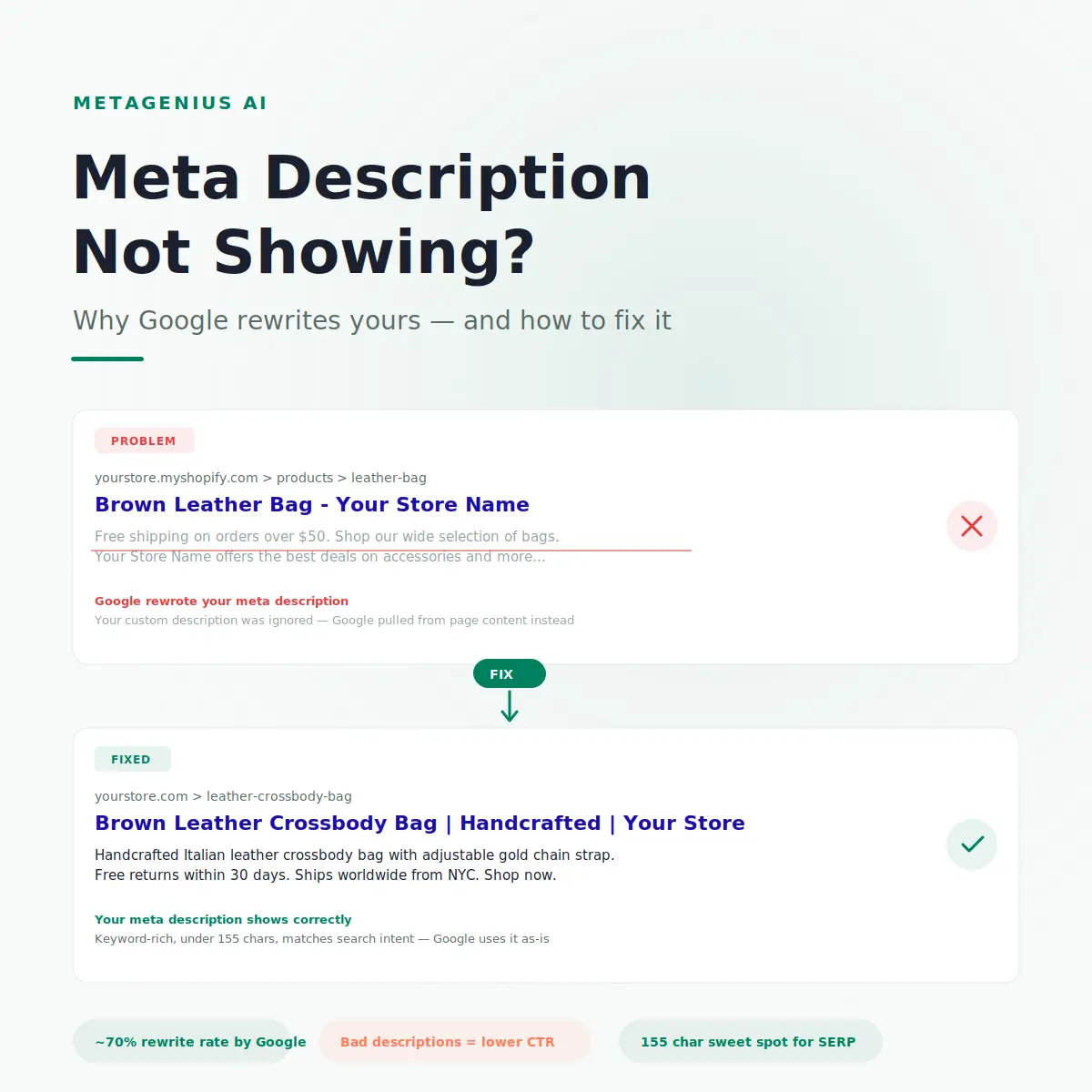
You wrote a perfect meta description. Keyword in the first 10 words. Benefit-driven. Under 155 characters. You saved it, waited for Google to recrawl, searched your product — and Google is showing something completely different. A random sentence pulled from your product description, or worse, your shipping policy footer.
This is one of the most common — and most frustrating — Shopify SEO problems. The meta description not showing issue hits stores of every size, and the fix depends on why it's happening. Sometimes it's a Shopify theme bug. Sometimes it's Google being Google. And sometimes the description you wrote just wasn't good enough for Google to use.
This post walks through every cause, shows you how to diagnose which one is affecting your store, and gives you the exact fix for each. If your store is not showing on Google at all, start there first — this guide assumes Google has already indexed your pages but is displaying the wrong snippet.
Why Google Rewrites Meta Descriptions (It's Not a Bug)
First, the uncomfortable truth: Google regularly ignores your meta description and generates its own. This isn't a Shopify problem. It happens across every platform, every CMS, every website.
John Mueller has confirmed this multiple times: Google's systems choose the snippet they believe best matches the user's specific query. If someone searches "brown leather bag free returns" and your meta description says "Shop our collection of premium handbags," Google will pull the sentence from your page that mentions free returns instead — because it better matches what the searcher wants to see.
Here's the part most guides get wrong: Google rewrites about 70% of meta descriptions. But that doesn't mean writing good ones is pointless. The 30% that do show are the ones that closely match search intent, use natural language, and stay within character limits. Those 30% convert at roughly 3x the click-through rate of auto-generated snippets — because a human-written (or well-prompted AI-written) description is almost always more compelling than a sentence Google pulled from your page footer.
The goal isn't to prevent Google from ever rewriting. The goal is to write descriptions so well-matched to the target query that Google has no reason to replace them. And when Google does rewrite — for long-tail queries you didn't specifically target — make sure the rest of your page content gives Google good sentences to pull from.
5 Reasons Your Shopify Meta Description Isn't Showing
When your meta description doesn't appear in Google results, one of these five issues is almost always the cause. They're listed from most common to least.
1. The meta description field is empty
The most common cause is the simplest: nobody wrote one. Shopify doesn't auto-generate meta descriptions — it leaves the field blank by default. When the <meta name="description"> tag is empty or missing from your page's HTML, Google has no choice but to generate a snippet from page content. For product pages, this usually means Google grabs the first sentence of your product description. For collection pages, it often pulls a jumble of product titles.
Check this first: go to your Shopify admin → Products → click any product → scroll to "Search engine listing." If the Description field is blank, that's your answer.
2. The description exceeds character limits
Google doesn't have a hard character limit — it uses pixel width, truncating at roughly 920px on desktop and 680px on mobile. In practice, that means about 155 characters for desktop and 120 for mobile. If your meta description is 300 characters long, Google truncates it mid-sentence and often replaces the whole thing with an auto-generated snippet instead. Truncation isn't just cosmetic — it signals to Google's systems that the description may not have been thoughtfully written.
3. Duplicate meta descriptions across multiple pages
If 50 product pages share the same meta description (or slight variations like "[Product Name] - Buy at Our Store"), Google treats them as low-quality, templated content. After the March 2025 Core Update, which heavily targeted scaled content patterns, duplicated meta descriptions are more likely to get replaced than ever. Each page should have a unique description that reflects what's on that specific page.
4. The description doesn't match search intent
This is the subtle one. Your meta description might be well-written, correct length, unique — but if it doesn't match the intent behind the search query, Google will replace it with something from your page that does. If someone searches "leather bag care instructions" and your meta description talks about pricing and shipping, Google will pull from the care section of your product page instead.
This is actually Google doing you a favor. The auto-generated snippet may convert better for that specific query than your generic description would have.
5. Shopify theme template issues
Some Shopify themes have bugs in their theme.liquid head section. The standard Liquid snippet is {{ page_description | escape }} — but if a theme hard-codes a fallback or strips the description for certain page types (particularly collection pages and blog posts), your custom meta description never makes it into the HTML. This is rare with modern themes from the Shopify Theme Store, but common with custom or older themes.
Diagnose this by viewing your page source (right-click → View Page Source) and searching for <meta name="description". If the content doesn't match what you entered in the Shopify admin, you have a theme issue.
How to Check What Google Is Actually Showing
Before fixing anything, confirm the problem. Here are three ways to see your live SERP snippets:
Method 1: Site search in Google
Type site:yourstore.com "product name" into Google. The result shows exactly what snippet Google displays for that page. Compare it to what you entered in Shopify's SEO fields.
Method 2: Google Search Console
Go to Search Console → Performance → Pages tab. Click any URL, then search for it in Google to see the live snippet. Search Console also shows you which queries trigger each page — useful for understanding whether Google's rewrite is matching a query you didn't target.
Method 3: View page source
Right-click your live page → View Page Source → Ctrl+F for meta name="description". This confirms whether Shopify is actually outputting the description you wrote. If the content attribute is empty or wrong, the issue is on your side (Shopify admin or theme), not Google's.
If the source code shows the correct description but Google displays something different — that's Google choosing to rewrite. Move to the "Preventing rewrites" section below.
How to Fix Each Issue
Match the fix to your diagnosis:
Fix for empty meta descriptions: write them (or let AI do it)
If meta descriptions are empty, you need to fill them. For a handful of products, do it manually in the Shopify admin. For 100+ products, manual editing takes hours — and you'll still need to write unique, keyword-rich descriptions for each one.
This is exactly where AI meta tag generators earn their keep. MetaGenius AI analyzes each product's title, description, and content to generate unique, intent-matched meta descriptions in bulk. The live Google SERP preview shows you what the result will look like before you save — so you can catch issues before Google sees the page.
Fix for character overflow: trim to 155 characters
Rewrite descriptions that exceed 155 characters. Cut the fluff — most overlong descriptions include unnecessary phrases like "Shop our wide selection of" or "Click here to learn more about." The core value proposition usually fits in 120–155 characters once you strip the padding. For a full guide on writing meta descriptions that convert, see our dedicated walkthrough.
Fix for duplicates: make each description unique
Every product page, collection page, and blog post needs its own meta description. If you've been using templates like "[Product] - Free Shipping - Shop Now," rewrite each one to describe the specific product. Mention the material, the use case, the standout feature — something that differentiates this page from every other page on your store.
Fix for intent mismatch: align with the target query
Look at the query that triggers your page (Google Search Console → Performance → Queries). Your meta description should directly address that query. If your #1 query is "brown leather bag for travel," your description should mention travel — not just "premium handbag." Match the language your customers use, not the language your brand guide uses.
Fix for theme issues: check your theme.liquid
Open your theme code (Online Store → Themes → Actions → Edit Code) and search for meta name="description" in theme.liquid. The standard output should look like:
<meta name="description" content="{{ page_description | escape }}">
If it's missing, hard-coded, or wrapped in a conditional that excludes certain page types — fix it. If you're not comfortable editing theme code, your theme developer or a Shopify Expert can do this in five minutes.
Preventing Meta Description Rewrites Going Forward
You can't stop Google from rewriting 100% of the time. But you can dramatically increase the survival rate of your descriptions. Here's what moves the needle:
Write for the primary query, not your brand
The single biggest predictor of whether Google uses your meta description: does it match the searcher's intent? If your target keyword is "brown leather crossbody bag," your description should describe a brown leather crossbody bag — not your brand story or shipping policy. Use the target keyword in the first 10 words. Follow it with the specific benefit or differentiator. End with a soft call to action.
Keep it under 155 characters — always
Google's pixel-width truncation translates to roughly 155 characters on desktop and 120 on mobile. Aim for 140–155. Under 100 characters and you're leaving SERP real estate on the table. Over 160 and you're risking truncation that triggers a full rewrite. For the exact rules in 2026, see our meta description character limit guide.
Use MetaGenius AI's SERP preview
MetaGenius AI shows a live Google SERP preview for every meta description it generates. You see the exact pixel-width rendering — including truncation indicators — before the description goes live. This eliminates the guessing. If it looks right in the preview, it'll look right in Google.
Audit every 3 months
Google's rewrite behavior changes with algorithm updates. The March 2025 Core Update shifted rewrite patterns significantly — descriptions that survived in 2024 started getting replaced. Run a quarterly audit: search site:yourstore.com in Google, spot-check 20 pages, and flag any where the snippet doesn't match your written description. Rewrite those that got replaced.
For meta title optimization, the same quarterly cadence applies — titles and descriptions work as a pair in the SERP.
Frequently Asked Questions
meta name="description". The content attribute should match exactly what you entered in the Shopify admin's SEO section. If it doesn't match — or the tag is missing — you have a theme issue, not a Google issue.Write meta descriptions Google actually uses.
MetaGenius AI generates intent-matched meta descriptions with a live SERP preview — so you see exactly what Google will display before you publish. Free plan, 30-second install, no code.
Install Free on the Shopify App Store →