Your Shopify store is live. You've added 40 products, written descriptions, picked a theme. You type your brand name into Google — and your store doesn't show up. Or worse: you've been live for three months and the only thing ranking is your `.myshopify.com` URL, not your custom domain.
This is one of the most common reasons merchants in the US, UK, Canada, Australia, and DACH email support every week. The good news: in the dozen panic-emails I've worked through this quarter, the answer was almost always one of nine specific issues. Eight of them are fixable today.
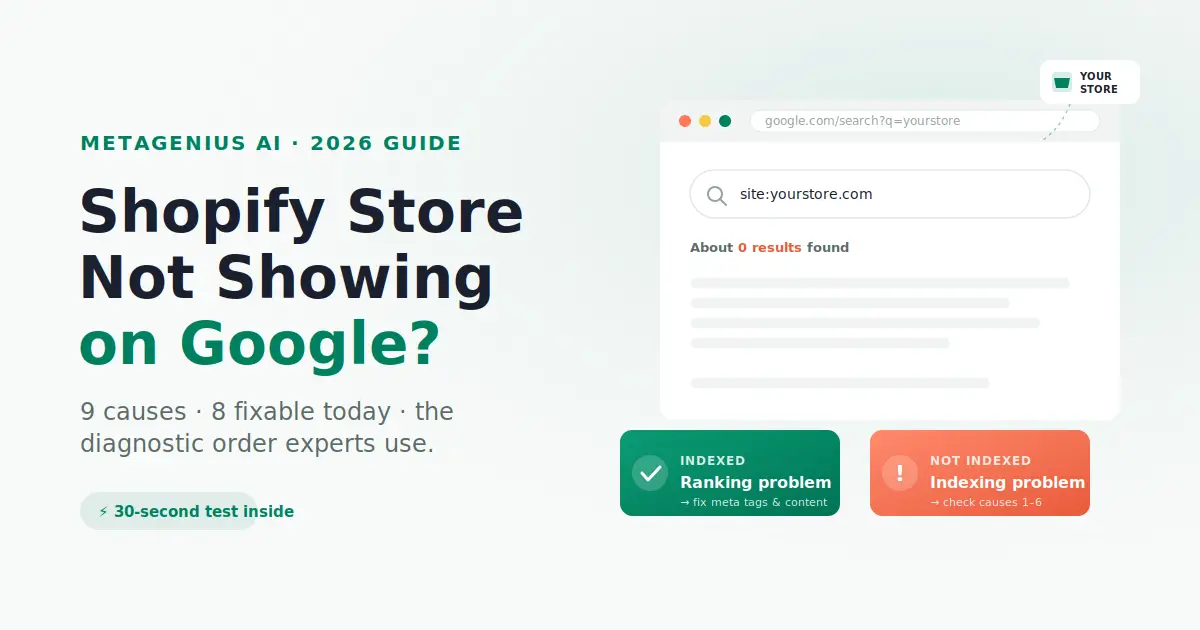
This guide walks through the diagnostic order an experienced SEO consultant would use — fastest checks first, hardest fixes last. If your store is shopify not showing on google, you'll know the cause by the time you finish the second section.
Before You Panic: Indexed or Ranking Problem?
The first split matters more than anything else. "Not showing on Google" is two completely different problems with two completely different fix sets:
- Indexing problem: Google literally does not have your pages in its database. Searching for your URL or unique product text returns zero results.
- Ranking problem: Google has your pages, but they're buried so far down the SERP nobody finds them. Searching for your URL works; searching for what you sell doesn't.
The 30-second test
Open Google. Run three searches in this exact order:
site:yourstore.com— replace with your actual domainsite:yourstore.com inurl:products"a unique sentence from one of your product descriptions"— with the quotes
Interpret the results:
- All three return zero results: Indexing problem. Skip to Causes 1-6 — these are technical blockers.
- The first two work, the third doesn't: Partial indexing or duplicate-content issue. Cause 7 is likely.
- All three return results, but you still can't find your store in normal searches: Ranking problem. Skip to Cause 9.
John Mueller from Google Search Advocate has confirmed this multiple times on the Search Off the Record podcast: the site: operator is the single most reliable way to check Shopify indexing status, far more reliable than third-party rank trackers.
Cause 1 — Password Protection Is Still On
The single most common cause. About one in four "my store isn't showing up" tickets I see resolves here. When your store has password protection enabled, Google sees the password page on every URL, can't crawl product pages, and refuses to index anything. Shopify enables this by default during setup, so it's easy to forget.
How to check
Shopify Admin → Online Store → Preferences → Password Protection. If "Restrict access to visitors with the password" is checked, that's your problem.
The fix
Uncheck the box. Save. That's it. Google's next crawl (usually within 48-72 hours) will start seeing your real pages. Submit your sitemap manually in Search Console to speed it up.
Edge case: If you're pre-launch and password protection is intentional, you obviously want to leave it on. But also turn off Google Search Console verification until launch — otherwise you'll get spammed with "indexing failed" alerts on every page.
Cause 2 — Robots.txt Is Blocking Crawlers
Shopify auto-generates a robots.txt file at yourstore.com/robots.txt. The defaults are sensible, but two things can break them: a developer added a custom rule that blocks too much, or you accidentally edited it via the robots.txt.liquid theme file (added in Shopify's June 2021 update).
How to check
Visit https://yourstore.com/robots.txt in your browser. Look for lines like Disallow: / (blocks everything) or Disallow: /products/ (blocks product pages). If you see either at the top level under User-agent: *, that's your problem.
The fix
Shopify Admin → Online Store → Themes → Edit code → robots.txt.liquid. If you've customized it, revert to default by deleting the file (Shopify will fall back to its built-in version). Then submit your sitemap in Google Search Console and request indexing on your top product URLs.
Cyrus Shepard has written extensively about how robots.txt misconfigurations are responsible for a disproportionate share of indexing problems — and Shopify stores are particularly susceptible because most merchants don't know the file exists.
Cause 3 — Noindex Meta Tag On Pages
Shopify themes can inject <meta name="robots" content="noindex"> on specific page types — usually accidentally, sometimes via a third-party app that added it for filter pages and forgot to scope it. A page with a noindex tag will never rank, no matter how good its content is.
How to check
Right-click any product page → View page source → Search for noindex. If you find it inside a <meta name="robots"> tag in the <head>, the page is excluded from Google.
Or use Google Search Console → Pages → look for "Excluded by 'noindex' tag" — Google reports this directly.
The fix
Find which app or theme code added it. Common culprits: faceted-filter apps, search apps, A/B testing apps. Check Shopify Admin → Themes → Edit code → theme.liquid, search for "noindex" — if you find it inside a Liquid conditional, that's the source. Remove or scope it correctly.
Cause 4 — Sitemap Not Submitted (Or Submitted Wrong)
Shopify auto-generates a sitemap at yourstore.com/sitemap.xml. Google will eventually find it, but "eventually" can mean weeks. Submitting it manually in Search Console cuts that delay by 70-80%.
How to check
Google Search Console → Sitemaps. If you see no sitemap submitted, or one with "Couldn't fetch" or "Has errors" status, that's the problem.
The fix
In Search Console, submit https://yourstore.com/sitemap.xml (the full URL, including https). Wait 24-48 hours and check back. If status shows "Success" and discovered URLs match your product count, you're good. If discovered URLs are far below your actual product count, an app or robots.txt rule is hiding pages.
Per Google's official sitemap documentation, sitemaps don't guarantee indexing — but they significantly accelerate discovery, especially for new stores.
Indexing fixed? Now make sure rankings follow.
Most Shopify stores that fix indexing then stall because their meta tags are still Shopify defaults — title is just the product name, description is empty. MetaGenius AI fixes that in bulk for your whole catalog. Free plan available, generate your first 10 in under a minute.
Install Free on Shopify →Cause 5 — Custom Domain Not Verified in Search Console
If you launched on yourbrand.com but only verified yourbrand.myshopify.com in Search Console, you're tracking the wrong property. Worse, if your custom domain isn't set as the primary domain in Shopify, Google may be indexing both and treating them as duplicates.
How to check
Shopify Admin → Settings → Domains. Your custom domain should be set as primary, with .myshopify.com redirecting to it. Then in Search Console, confirm you've added the custom domain as a Domain property (not just a URL prefix).
The fix
Add the custom domain in Search Console using the Domain property option — this verifies all subdomains and protocols at once via DNS TXT record. Verify, then re-submit your sitemap under this new property. Old data on the .myshopify.com property stays put; new indexing goes to the right place.
Cause 6 — Manual Action or Algorithmic Penalty
Rare but real. If your store was hit with a manual action — usually for unnatural backlinks, scraped content, or thin affiliate-style content — Google removes you from results entirely. Algorithmic penalties (from updates like the August 2024 Core Update or the November 2024 Spam Update) don't show in Search Console but produce the same outcome.
How to check
Search Console → Security & manual actions → Manual actions. If anything other than "No issues detected" appears, you have a manual action.
For algorithmic suspicion: Search Console → Performance → look for a sharp drop in impressions on a specific date. Cross-reference that date against the Google Search Status Dashboard — if it matches a confirmed core update, you've likely been algorithmically demoted.
The fix
Manual actions require a reconsideration request — fix the underlying issue first (clean backlinks, rewrite thin content), then submit through Search Console. Algorithmic recoveries take longer; Lily Ray's analyses of Helpful Content Update recoveries show median recovery time of 4-9 months after substantive content improvements.
Honest disclosure: if you're a dropshipping store using stock supplier descriptions across 1,000+ products, the August 2024 Core Update almost certainly demoted you. The fix is unique product content — there's no shortcut.
Cause 7 — Duplicate or Thin Content
Google won't penalize you for duplicate content — that's a myth. But it absolutely will filter your pages out of the index if they're thin or near-duplicates of pages already in the index. Result: your products are technically crawled, but not stored, so they never show up.
This is overwhelmingly the cause for dropshippers using stock supplier descriptions. If 200 other stores have the exact same product description, Google picks one to rank — and statistically it isn't you.
How to check
Take a unique sentence from one of your product descriptions, paste it into Google in quotes. If you see your product, plus 47 other stores with the exact same description, you have a duplicate-content filtering problem.
In Search Console: Pages → look for "Discovered - currently not indexed" or "Crawled - currently not indexed". These are pages Google saw but chose not to include — the classic thin/duplicate-content filter signal.
The fix
Rewrite product descriptions in your own words. You don't need to write a thesis — 100-200 unique words per product is usually enough to clear the filter. Pair this with optimized meta titles and descriptions so the unique content has unique tag signals to match. If you have 500+ products, manual rewriting is unrealistic; this is where bulk AI generation earns its keep.
For a deeper walkthrough of fixing this on collection and product pages specifically, see our guides on Shopify product page SEO and Shopify collection page SEO.
Cause 8 — Your Store Is Just Too New
The hardest one to accept. A brand-new Shopify store on a new domain typically takes 4 to 12 weeks to show meaningful organic visibility — even with everything done right. Google needs time to crawl, evaluate, and decide where to rank you, and "sandbox-like" treatment of brand-new domains is well-documented even though Google denies it formally.If your store isn't appearing at all, start with our Shopify not showing on Google diagnostic — it covers the 9 most common causes in fix-order.
How to check
Calculate your launch date. If you've been live less than 30 days and ranking for your brand name (a low-competition query), you're probably fine — visibility for product keywords will follow over the next 6-10 weeks.
The signal to watch: Search Console Performance impressions trend. Even at zero clicks, rising impressions = Google is testing your pages in results. That's the leading indicator.
The fix
Patience, plus three accelerators: (1) submit your sitemap, (2) earn 3-5 quality backlinks from relevant sites (a press mention, a relevant industry directory, a guest post), (3) make sure every product has unique meta tags so when Google does decide to rank you, you're optimized to win the click.
Cause 9 — Indexed But Not Ranking (The Real Problem)
If your site: queries returned results but you still can't find your store in normal searches, you don't have an indexing problem — you have a ranking problem. The fix is different and the timeline is longer.
Most commonly this comes down to four things: meta tags that don't match search intent, product descriptions too thin to compete, no backlinks, and on-page content that uses your branded terminology instead of what shoppers actually search.
How to check
Search Console → Performance. Filter to queries with impressions but few or no clicks. These are searches where you show up but get buried. If average position is in the 20-50 range, that's classic page-3-to-5 territory — fixable with on-page work. If positions are 50+, the gap is bigger and likely needs content depth plus links.
The fix
Three priorities in order:
- Rewrite meta titles and descriptions using actual buyer search language. Default Shopify tags rarely match search intent. See our guide on how to write meta descriptions that convert.
- Audit your top 20 product pages for content depth. Stores doing $50K+/month should have at least 300-500 words of unique copy per product page.
- Build 3-5 quality backlinks per month from relevant industry sites, press mentions, or partnerships.
For the comprehensive view across all of these, the Shopify SEO Checklist for 2026 walks through 47 items in priority order — start there if you want a complete audit.
Preventing This On New Stores
If you're reading this preventively (smart) or about to launch a second store, here's the pre-launch checklist that stops 90% of indexing issues before they start:
- Disable password protection the day you launch — not three days later.
- Verify your custom domain as a Domain property in Search Console on day one.
- Submit your sitemap within 24 hours of launch.
- Set primary domain in Shopify so
.myshopify.comredirects to your custom domain. - Write unique meta tags for every product, collection, and page before launch — not after. Default Shopify tags are a known weakness.
- Avoid stock supplier descriptions on more than 20% of products. The August 2024 Core Update made this borderline fatal.
- Audit robots.txt after installing any new app — some apps silently modify it.
For stores with 200+ products, writing unique meta tags manually pre-launch is a 2-3 week project. Bulk AI generation cuts that to one afternoon. MetaGenius AI generates meta titles, descriptions, and image alt text for your full catalog in about 7 minutes per 500 products, with a live Google SERP preview before each save.
If you're evaluating tools, our honest comparison of Shopify SEO apps in 2026 covers the main options.If you've checked all of this and your store still isn't appearing, our Shopify not showing on Google troubleshoot walks through the 9 most common causes.
Frequently Asked Questions
site:yourstore.com into Google (replace with your domain). If you see pages listed, you're indexed. If it returns zero results, you have an indexing problem — most often password protection, robots.txt blocking, or a noindex tag. Google Search Console's Pages report gives the full breakdown by status..myshopify.com URL is set to noindex by Shopify so it doesn't compete with your custom domain. Once you disable password protection and connect a custom domain, Google can crawl normally.Indexing fixed? Now win the click.
Once Google sees your store, the next problem is making sure shoppers click your result instead of a competitor's. That's where meta tags do the heavy lifting. Click "Install" on the Shopify App Store, sign in with your store URL, click "Generate" on a product — your first AI-written meta tag appears in under 60 seconds. Free plan, 10 credits, no card.
Install Free on the Shopify App Store →