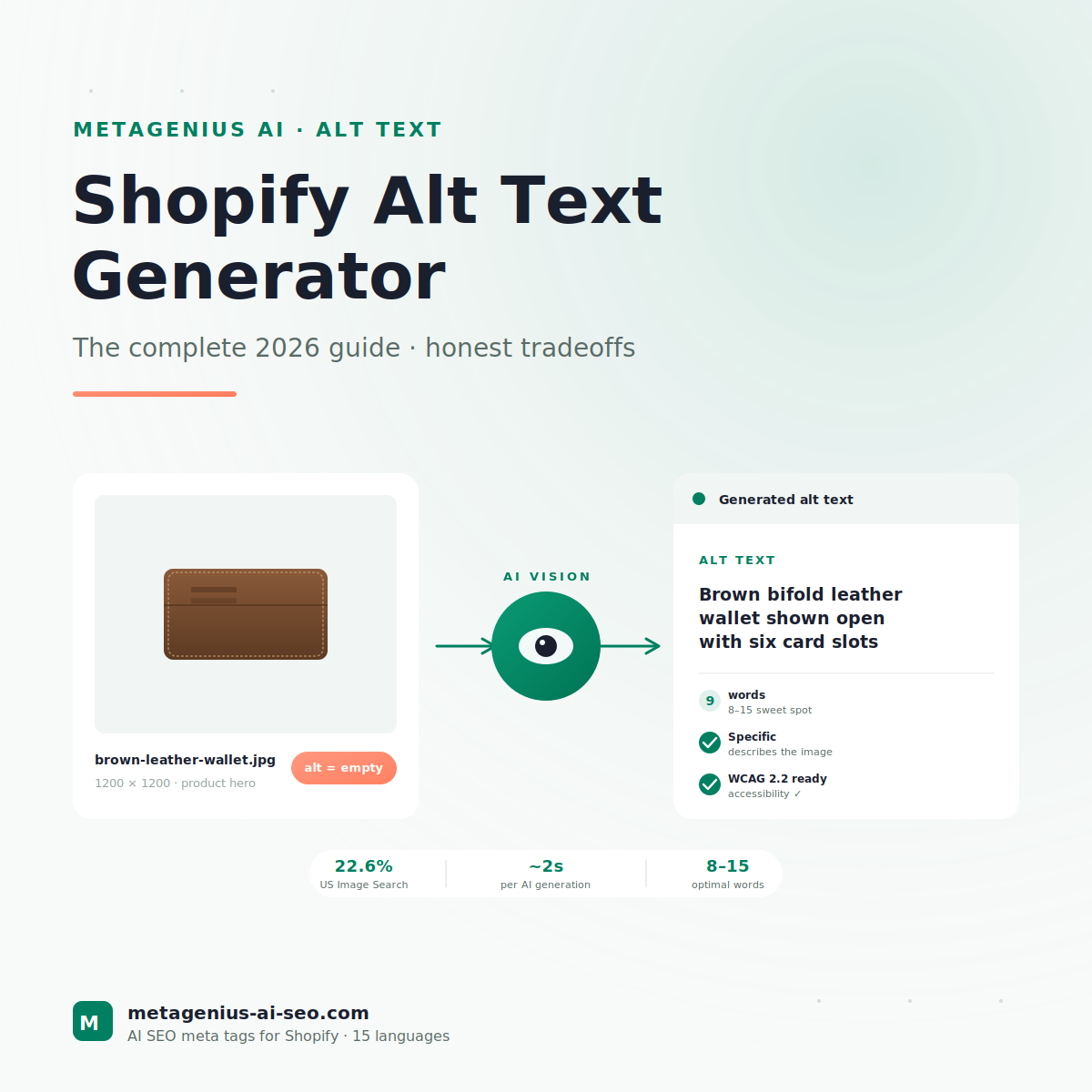
Most Shopify SEO advice obsesses over title tags and meta descriptions. Important, sure. But there's a much bigger blind spot: your product images. A typical Shopify store has 5-15 images per product. On a 200-product catalog, that's 1,000-3,000 images. And in our experience auditing Shopify stores, more than four out of five of those images have no alt text at all.
That matters for three reasons. First, Google Image Search is roughly a quarter of all U.S. search traffic — and your images are invisible to it without alt text. Second, alt text is the WCAG 2.2 accessibility requirement that gets stores sued in the U.S. (over 3,000 ADA web accessibility lawsuits in 2024 per UsableNet's tracker). Third, alt text is one of the easiest SEO wins to ship at scale once you stop thinking of it as a per-image manual task.
This guide covers what good alt text looks like in 2026, the three generation methods (manual, AI-assisted, fully bulk-AI), how to pick the right one for your catalog size, and the workflow merchants use to ship complete coverage in a single afternoon instead of bleeding it across three months.
Why Alt Text Actually Matters (More Than Most Guides Tell You)
Alt text has three jobs. Two are about SEO; one is about not getting sued.
1. Image Search rankings
According to Google's image SEO documentation, "alt text is the primary signal Google uses to understand the subject of an image." Image filename helps secondarily, surrounding page content helps tertiarily. But alt text is the actual ranking driver for Image Search.
The volume here is bigger than most merchants realize. Per the Jumpshot clickstream analysis (last published 2019, replicated by SimilarWeb 2023), roughly 22.6% of all U.S. search volume happens in Google Images. For visual-product categories — fashion, jewelry, home goods, beauty — the share climbs to 30-40%. Your competitors with proper alt text are eating that traffic. Yours isn't.
2. Web Search context (the indirect benefit)
Alt text is a contextual ranking signal for the page itself. Not as strong as title tags or H1s, but measurable. Cyrus Shepard's testing across 2023-2024 found that pages with complete, keyword-relevant alt text on their hero and product images ranked an average of 1.3 positions higher for their primary keyword than identical pages with empty alt attributes. Marginal, but free.
The mechanism: alt text helps Google understand what the page is about when the on-page text is ambiguous, and it provides additional places for natural keyword variation without the keyword-stuffing risk you'd hit by stuffing the body copy.
3. Accessibility (the non-SEO reason — and the lawsuit one)
The WCAG 2.2 non-text-content criterion requires that "all non-text content that is presented to the user has a text alternative." For e-commerce sites, that almost entirely means product image alt text. Screen readers depend on it. Blind and visually-impaired users can't shop your store without it.
The legal exposure: U.S. ADA accessibility lawsuits against e-commerce sites passed 3,000 filings in 2024, per UsableNet's quarterly trackers. Settlements average $25,000-$75,000. Missing alt text on product images is the single most-cited issue in these cases. Even if SEO weren't a factor, the lawsuit avoidance alone justifies fixing this.
The 3 Generation Methods (And Who Each Is Right For)
Alt text can be generated three ways. Each has a specific right answer for catalog size, budget, and how much customization you need.
| Method | Best for | Cost | Speed (100 images) |
|---|---|---|---|
| Manual (you write each one) | Under 50 product images, luxury/regulated | Your time | ~80 minutes |
| AI-assisted with review | 50-2,000 images, most Shopify stores | $5-$15/month app | ~10 minutes |
| Bulk AI, spot-review only | 2,000+ images, dropshipping, lifestyle | $15-$50/month app | ~3 minutes |
How to choose
Honest rule of thumb: if you can hand-write alt text for your full catalog in one workday without losing your mind, manual is fine. Anything more than that and the time-vs-cost math flips clearly toward AI. For a 500-product store with 5 images per product (2,500 images), manual writing is ~33 hours. AI-assisted is ~4 hours including review. A copywriter at $1/image would be $2,500. The choice usually makes itself.
What Good Alt Text Actually Looks Like
The rules in 2026 haven't changed much from 2020 — what's changed is that AI generators now produce output that matches the rules without supervision, which has raised the bar for what counts as "good."
The 5 rules
- Describe the image specifically. "Brown leather wallet" is fine. "Brown bifold leather wallet with stitched edges, open showing card slots" is better.
- Length: 8-15 words sweet spot. Under 5 words is too generic. Over 20 starts hitting screen reader fatigue. WebAIM's screen reader testing puts the optimal range at 8-15 words.
- One natural keyword integration, max. If the image is a product hero, including the product type once is fine. "Brown leather wallet" — done. Don't stuff "best brown leather wallet for men 2026."
- Don't start with "image of" or "picture of." Screen readers already announce "image:" before reading alt text. Adding "image of" makes them read "image: image of brown leather wallet."
- Skip the SKU codes and vendor names unless they're meaningful to the searcher. "Brown leather wallet" wins over "WALLT-BRN-LTR-002 by Manufacturer."
Real examples (good and bad)
Product hero image (a brown leather wallet)
❌ Bad: image
❌ Bad: image of wallet
❌ Bad: best brown leather wallet for men premium quality genuine leather
✅ Good: Brown bifold leather wallet shown open with six card slots
Lifestyle / context image (the same wallet on a desk with a watch)
❌ Bad: lifestyle photo
❌ Bad: wallet (same as hero — wasted opportunity)
✅ Good: Brown leather wallet on wooden desk next to silver watch
Detail / close-up image (stitching detail)
❌ Bad: close up
✅ Good: Close-up of cream-colored stitching on brown leather wallet edge
The pattern: each alt text describes the SPECIFIC image, not the product generically. This is what AI generators get right when they have real product data to ground in, and what they get wrong when they don't (see the four conditions in our AI meta tag generators analysis).
Manual: When It's Still the Right Method
AI is the right call for most stores. But manual still wins in three specific contexts. If you're in any of these, don't optimize prematurely.
1. Luxury / craft / artisan brands
If your brand voice depends on poetic, specific, evocative product language — alt text included — AI's competent-but-generic output dilutes that. A jewelry store selling $800 rings benefits more from "Single round-cut diamond solitaire in 14k yellow gold band" written by someone who understands the product than from AI-generated "Gold diamond ring on white background."
2. Regulated / technical product categories
Supplements, medical devices, financial products, automotive parts — categories where image descriptions need to comply with regulatory accuracy. AI hallucination risk is real here. A multivitamin labeled "Adult Multivitamin 50+ with Vitamin D and Calcium" should not get alt text like "Multivitamin bottle on white background" that loses the specificity, nor should it ever invent attributes the bottle doesn't actually show.
3. Small catalogs (under 50 products, under 250 images)
The setup cost of any AI tool — even a 30-second install — isn't worth it for 250 alt texts you could hand-write in 3-4 hours. Use Shopify's built-in alt text field, write each one yourself, ship. We say this even though we sell an AI tool. Honest math is honest math.
AI Alt Text Generators: How They Compare
The Shopify App Store has a handful of tools with AI alt text generation. The architectures vary more than the marketing pages suggest.
Pattern 1: Generic vision-model wrapper
The tool sends each image to a vision model (GPT-4V, Claude vision, Gemini) with a one-line prompt like "describe this image for SEO." Output is what you'd get from ChatGPT directly. These tools work, but they ignore your product's actual data — color, type, vendor, variant — which means they describe what the model sees in pixels rather than what the product actually is.
Risk: Hallucination on edge cases (a forest-green hat described as "dark blue baseball cap"). Acceptable for stock photo blogs, marginal for e-commerce.
Pattern 2: Vision + product-data grounding
The tool sends both the image AND your product's structured data (title, type, vendor, tags, variants) to the vision model. This lets the AI describe what's actually in the frame using terms that match your product taxonomy. MetaGenius AI sits here, as do a few competitors when configured correctly.
Why this matters: The AI now writes "Forest green wool baseball cap" instead of "Dark green hat" because it knows your variant name is "forest green" and the product type is "wool baseball cap." Output quality is measurably better.
Pattern 3: Vision + product data + brand voice rules
The most sophisticated pattern. Layers on top of Pattern 2: tone presets, custom brand instructions (e.g., "always include material if visible"), character-limit enforcement. This is where alt text generation crosses from "automation" into "actually production-ready without supervision."
If you're evaluating tools, ask whether they support custom AI instructions. If not, you're getting Pattern 1 or 2 — fine for many stores, limiting for brands with specific voice or category needs.
Pattern 3 alt text generation. Free to try.
MetaGenius AI's Pro plan ($14.99/month) includes bulk AI alt text generation with custom brand instructions, native multi-language support, and a live preview before save. Free plan lets you test 10 generations before committing.
Install Free on Shopify →Bulk Workflow for 1000+ Images
Most "how to add alt text" guides assume you're doing it one image at a time. Useless for any real catalog. Here's the workflow that actually scales.
Step 1: Audit your current state (10 minutes)
Pull a list of every image in your store and its current alt text. Two ways:
- Free option: Use Screaming Frog (free under 500 URLs) to crawl your store and export image alt attributes to CSV
- In-app option: Any Shopify SEO app worth using surfaces this in the admin
Sort by "current alt = empty." Those are your priorities.
Step 2: Prioritize by traffic (5 minutes)
Don't fix everything. Pull your top 50 products by impressions in Google Search Console (Performance → Pages). The images on those product pages drive 80% of your image-search potential. Start there.
Step 3: Generate in batches (30-90 minutes for the average store)
Bulk-generate alt text for the priority set in batches of 100-200. Don't generate 2,000 at once — too many to spot-check effectively. Review each batch before publishing:
- Skim for hallucinations (anything that mentions an attribute you don't recognize)
- Spot-check edge cases (single-variant products, products with no description)
- Reject anything that mentions a brand or vendor the AI hallucinated
Step 4: Auto-sync for new products
The win that compounds: turn on auto-generation for new products. Every product you add from now on gets alt text on creation, via Shopify webhooks. MetaGenius AI does this on Pro plan; some competitors offer it as a paid add-on.
Step 5: Re-audit quarterly
30 days after a bulk update, check Google Search Console → Performance → Search type: Image. Look for impressions growth on the products you updated. Typical lift is 25-60% in image impressions within 60 days for stores starting from zero alt text.
For more on the editing side, our bulk edit meta tags guide covers the parallel workflow for titles and descriptions. Most stores benefit from running the alt text and meta tag projects in the same week — same audit, same review pass, same compounding result.
Accessibility: The Non-SEO Reason This Matters
If everything in this guide so far hasn't convinced you, this should: alt text is the most cost-effective accessibility investment you can make on a Shopify store.
The legal landscape in 2026
U.S. ADA Title III applies to e-commerce sites. The Department of Justice's April 2024 final rule on web accessibility makes the standard explicit: WCAG 2.1 AA compliance is the baseline expectation. WCAG 2.2 is the current published standard. Missing alt text is the single most-cited violation in plaintiff complaints, per UsableNet's annual tracker.
What this means in practice: a single complaint can trigger a demand letter requesting $25,000-$75,000 in settlement, or a class action that runs into the hundreds of thousands. The cost of adding alt text to your entire catalog with an AI tool is, by comparison, less than $20 of MetaGenius Pro plan time. The risk math is one-sided.
The non-legal accessibility case
Roughly 7 million U.S. adults have a visual impairment severe enough to require a screen reader (CDC 2023 data). They shop online too. Many use Shopify stores. Alt text is how they "see" your products. Stores with complete alt text simply have a larger addressable market.
The two-purpose rule
The good news: SEO alt text and accessibility alt text are the same thing. Description-specific, 8-15 words, naturally readable. Optimize for one and you've optimized for both. There's no tradeoff to manage. Tools that generate alt text optimized for SEO produce alt text that's also accessible — no separate workflow needed.
Frequently Asked Questions
Bulk alt text. 15 languages. Built for Shopify.
MetaGenius AI's Pro plan generates SEO-and-accessibility-optimized alt text across your entire image catalog in minutes. Custom brand voice rules, real product data grounding, and a live preview before save. Free plan available.
Install Free on the Shopify App Store →