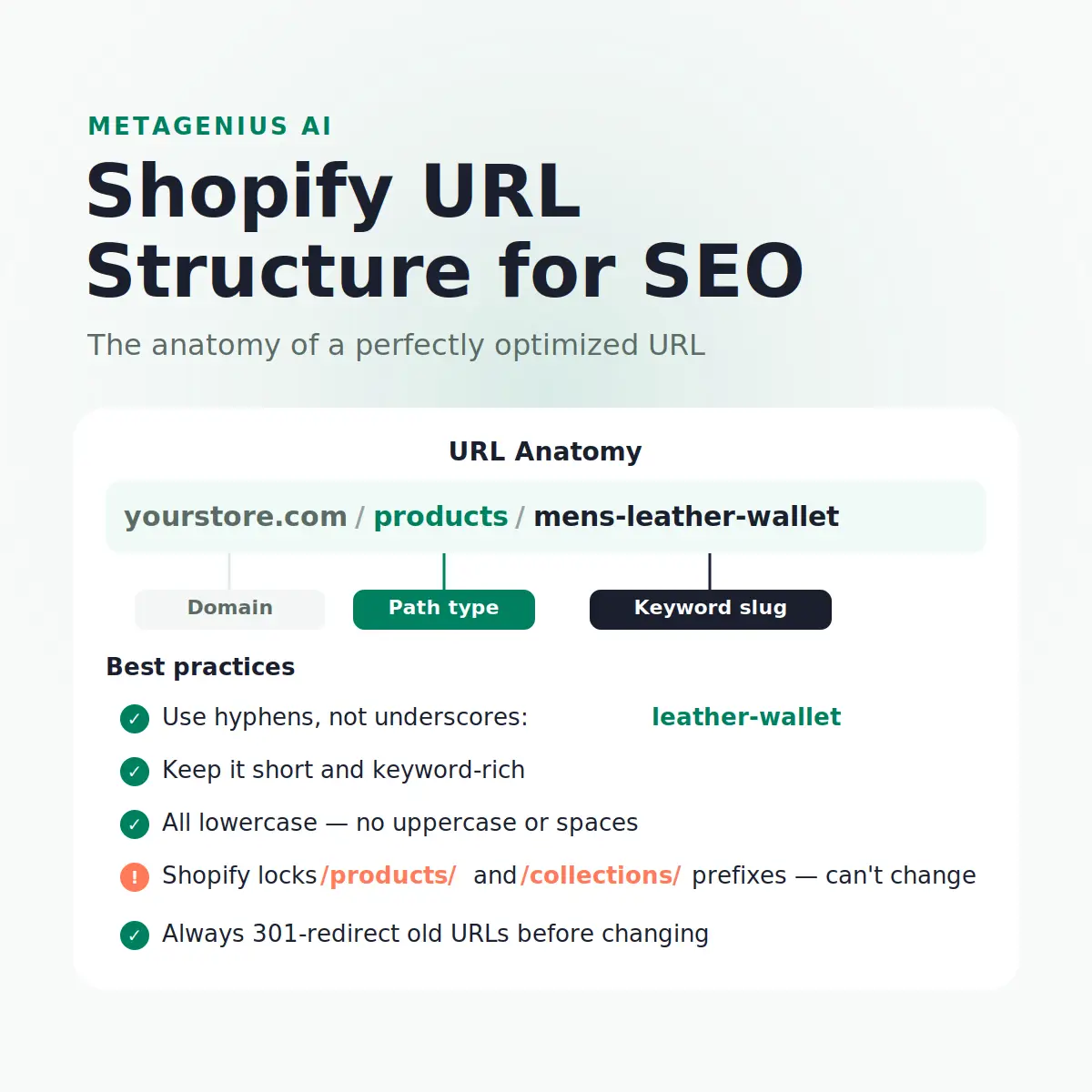
URL structure is one of those SEO topics where Shopify gives you less control than WordPress — and more control than most merchants realize. The platform locks certain path prefixes. But within those constraints, the slug you choose is a genuine ranking signal: Google reads it, weighs it, and uses it to decide what a page is about before it reads a single word of content.
Most Shopify stores let the platform auto-generate slugs from product titles, never edit them, and wonder why /products/mens-genuine-full-grain-leather-bifold-wallet-slim-design-brown isn't ranking for "men's leather wallet." This guide covers the Shopify URL structure rules, what you can and can't change, and how to build slugs that work for both Google and real shoppers.
How Shopify URLs Work
Every Shopify URL follows the same pattern: domain.com / [path-prefix] / [slug]. The path prefix is determined by content type and is hardcoded by the platform:
| Content type | Path prefix | Example |
|---|---|---|
| Products | /products/ | store.com/products/mens-leather-wallet |
| Collections | /collections/ | store.com/collections/mens-wallets |
| Pages | /pages/ | store.com/pages/about-us |
| Blog posts | /blogs/[blog-name]/ | store.com/blogs/journal/leather-care-tips |
| Homepage | / | store.com/ |
The key constraint: you cannot remove or rename these prefixes. John Mueller from Google has addressed this directly — the /products/ prefix is not a ranking disadvantage in itself. It's a subfolder structure, which Google handles fine. The SEO opportunity is entirely in the slug that follows it.
Shopify generates slugs automatically from product and collection titles when you first save them. A product called "Men's Genuine Full-Grain Leather Bifold Wallet — Slim Design, Brown" becomes /products/mens-genuine-full-grain-leather-bifold-wallet-slim-design-brown — 67 characters of noise. That slug contains no structured keyword targeting and is long enough that Google truncates it in SERPs.
Shopify URL Slug Best Practices
Once you understand what Shopify controls vs. what you control, the rules for the slug portion are clear:
Use hyphens, never underscores
Google treats hyphens as word separators in URLs. Underscores cause Google to read the adjacent words as a single term. leather-wallet is indexed as two separate words: "leather" and "wallet." leather_wallet is indexed as the single token "leather_wallet" — which nobody searches for. This has been Google's documented behaviour since 2011 and hasn't changed.
Keep slugs short and keyword-focused
The target: 3–5 words, under 60 characters total for the slug portion. Put your primary keyword first, remove stop words ("a", "the", "and", "for"), and cut descriptors that don't reflect actual search intent. A product called "Handcrafted Italian Full-Grain Tan Leather Card Holder With RFID Protection" should have the slug leather-card-holder or rfid-leather-card-holder — not the full title slugified.
All lowercase, no special characters
Shopify handles this automatically, but watch for edge cases with imported products from apps that might carry uppercase slugs. Mixed-case URLs technically create duplicate content risk because some servers treat /Products/Wallet and /products/wallet as different pages.
Match the slug to the primary search keyword
This is where most stores leave rankings on the table. Your slug should reflect what people actually type into Google, not your internal product naming convention. If your search data shows people searching "slim leather wallet men" — that's closer to your target slug than your marketing team's preferred product name.
URL Optimization by Shopify Page Type
Product pages (/products/)
Products are where most merchants have the most URLs and the least discipline. The auto-generated slug from Shopify imports or product creation is often bloated. Edit it on the product page under Search engine listing → URL and handle. Target the specific search term someone would use to find that exact product. A $45 men's bifold wallet: slug mens-bifold-wallet. A $180 Italian leather card holder: slug italian-leather-card-holder. Variant differences (colour, size) belong in the title and meta tags, not the slug.
Collection pages (/collections/)
Collection slugs carry significant weight because collection pages often rank for category-level keywords with high commercial intent — "men's wallets", "leather accessories", "gifts for him." These terms drive more volume than individual product terms. Treat collection slugs as your highest-priority URL optimization. Short, keyword-precise, no stop words: mens-wallets, leather-card-holders, rfid-wallets.
Pages (/pages/)
Static pages — About, FAQ, Contact, Shipping — matter less for keyword ranking but should still be clean. /pages/about-us is better than /pages/our-story-and-company-background. For pages that target informational keywords (e.g. a "How It's Made" page), use the primary term: /pages/how-leather-is-tanned.
Blog posts (/blogs/[blog-name]/)
Blog post slugs follow the same rules as product slugs but can be slightly longer because the keyword phrase for informational content is often multi-word. Match the post's primary keyword exactly. If your H1 is "How to Care for Full-Grain Leather," the slug is how-to-care-for-leather — not the full H1 slugified. See our post on Shopify product page SEO for how slug optimization connects to the broader on-page picture.
Changing Existing URLs Safely
This is where stores destroy months of earned ranking in an afternoon. Changing a URL without redirecting the old one means losing every backlink, social share, and crawl signal that page accumulated. Google's crawl data treats it as a 404 — the page simply ceased to exist.
The 301 redirect rule — non-negotiable
Before changing any live URL that has traffic, rankings, or external links: set up a 301 redirect from the old URL to the new one. In Shopify, this is done under Online Store → Navigation → URL Redirects. Shopify actually creates a redirect automatically when you change a product or collection handle — but only for that page. If any external pages link to the old URL directly, they'll still receive the redirect. If you delete the product entirely without creating a redirect, those links go to a 404.
When to change vs. when to leave it
Not every bad slug is worth fixing. Before changing a URL, check its current performance in Google Search Console. If a page has existing impressions or rankings — even at low positions — changing the URL starts a recrawl cycle. Google needs to discover the redirect, follow it, and re-evaluate the new URL. That process typically takes two to six weeks, during which rankings can fluctuate. The bar for making a URL change should be: the old slug is actively hurting rankings or confusing crawl priority, not just "I'd prefer a cleaner URL today."
Batch URL changes
For large-scale slug fixes (e.g. cleaning up 300 imported products), do it in a controlled batch rather than all at once. Changing hundreds of URLs simultaneously sends a large volume of redirect signals to Google and can temporarily depress rankings as crawl budget gets consumed processing them. Work through a cluster at a time — products per category, one collection at a time — over several weeks.
Common Shopify URL Mistakes
Keyword stuffing the slug
A slug like leather-wallet-mens-leather-wallet-best-leather-wallet isn't optimised — it's a spam signal. Google's spam policies explicitly flag keyword manipulation in URLs. One clear keyword phrase, used once. That's it.
Using dates in product slugs
Some merchants include years or seasons: summer-2026-linen-dress. That URL becomes actively misleading — and potentially harmful for E-E-A-T — the moment 2027 rolls around. Google's Quality Rater Guidelines penalize "stale" signals in evergreen content. Keep product slugs timeless.
Ignoring the blog name in the URL
Shopify blog post URLs include the blog name: /blogs/[blog-name]/[post-slug]. Most stores leave the blog name as the Shopify default ("journal", "news", "blog"). That's a missed opportunity. Naming your blog something keyword-relevant — /blogs/leather-care-guide/ or /blogs/shopify-seo/ — adds topical signals to every post URL in that blog.
Changing URLs immediately after a traffic drop
After any Google core update causes a traffic dip, the temptation is to change everything — including URLs. This is the wrong response. As Cyrus Shepard and others have documented, post-update URL changes during a recovery window typically extend the recovery period rather than shortening it. Diagnose the actual cause of the drop first. URL structure is rarely the reason. Content quality, E-E-A-T signals, and site-wide thin content are far more likely culprits.
Beyond the URL: The On-Page Layer That Actually Drives Rankings
URL structure is one signal among many, and it's not the most important one. Once your slugs are clean, the ranking work shifts to the on-page signals Google weighs more heavily: meta title, meta description, image alt text, heading structure, and content relevance.
The meta title carries more keyword weight than the URL slug. The meta description doesn't directly affect ranking but controls click-through rate — which affects traffic volume even when your position stays the same. And image alt text is the signal that determines whether your product images surface in Google Image Search, which drives a separate traffic stream entirely.
For a 200-product store, writing optimized meta titles, descriptions, and alt text manually is weeks of work. That's where MetaGenius AI picks up: bulk AI generation of all three across your entire catalog — in any of 15 languages, with a live Google SERP preview before anything goes live. The URL gets you indexed. The meta tags get you clicked.
Clean URLs. Now make every page earn its click.
MetaGenius AI bulk-generates SEO image alt text, meta titles, and descriptions for your entire Shopify catalog — in seconds, with a live Google preview. Free plan available, no credit card needed.
Install MetaGenius AI Free →Frequently Asked Questions
domain.com/products/keyword-slug — keeping the auto-generated path prefix and using a short, hyphenated, lowercase slug that matches your primary search keyword. Aim for 3–5 words and under 60 characters for the slug portion. Shopify's path prefixes (/products/, /collections/) cannot be changed, which is fine — Google doesn't penalize them./products/, /collections/, /pages/, /blogs/) are hardcoded by the platform and cannot be changed on any plan, including Shopify Plus. You can only control the slug that comes after the prefix. This is not an SEO disadvantage — Google treats subdirectory structures like this as normal and doesn't penalise enforced path patterns./products/ is a genuine ranking signal. Include your primary keyword, keep it to 3–5 words, and use hyphens to separate words. Don't keyword-stuff or repeat the keyword multiple times. A product called "Italian Full-Grain Leather Bifold Wallet" should use a slug like leather-bifold-wallet or italian-leather-wallet — not the full product name slugified./blogs/[blog-name]/[post-slug]) doesn't include dates by default — which is the right setup. Avoid adding dates manually.leather-wallet is indexed as two separate, searchable words. Underscores cause Google to read the string as one compound token. Shopify generates hyphens by default when you save a product, so this is usually handled automatically — but watch for imported products from suppliers that may use underscores in their SKUs or titles.Good URLs get you indexed. Good meta tags get you ranked.
MetaGenius AI bulk-generates keyword-optimized image alt text, meta titles, and descriptions for every product, collection, and page in your Shopify store — in seconds, in 15+ languages, with a live Google SERP preview before you publish.
Install Free on the Shopify App Store →